
Published November 15, 2026
WCAG 2.1.4 Character Key Shortcuts, Level A
Does WCAG allow single-key shortcuts?
Yes at Level A when the shortcut uses only letters, numbers, punctuation, or symbols. Success criterion 2.1.4 Character Key Shortcuts requires that those shortcuts can be turned off, remapped to include a modifier such as Ctrl or Alt, or work only while the component has focus. The text is in the W3C WCAG 2.2 Recommendation.
What does success criterion 2.1.4 require?
If a keyboard shortcut uses only letter, punctuation, number, or symbol characters, then at least one of three things must be true. The user can turn the shortcut off. The user can remap it so it includes a non-printable key such as Ctrl or Alt. Or the shortcut is active only while that component has focus.
The explanation is in Understanding Success Criterion 2.1.4. General technique G217 provides a mechanism to remap or turn the shortcuts off. Whether the rest of the page can be operated from the keyboard at all is 2.1.1, covered on the keyboard access page. A letter that jumps inside a focused select is the on-focus path; that control still needs a name, covered on the accessible forms page.
When does a page-wide J or slash shortcut fail 2.1.4?
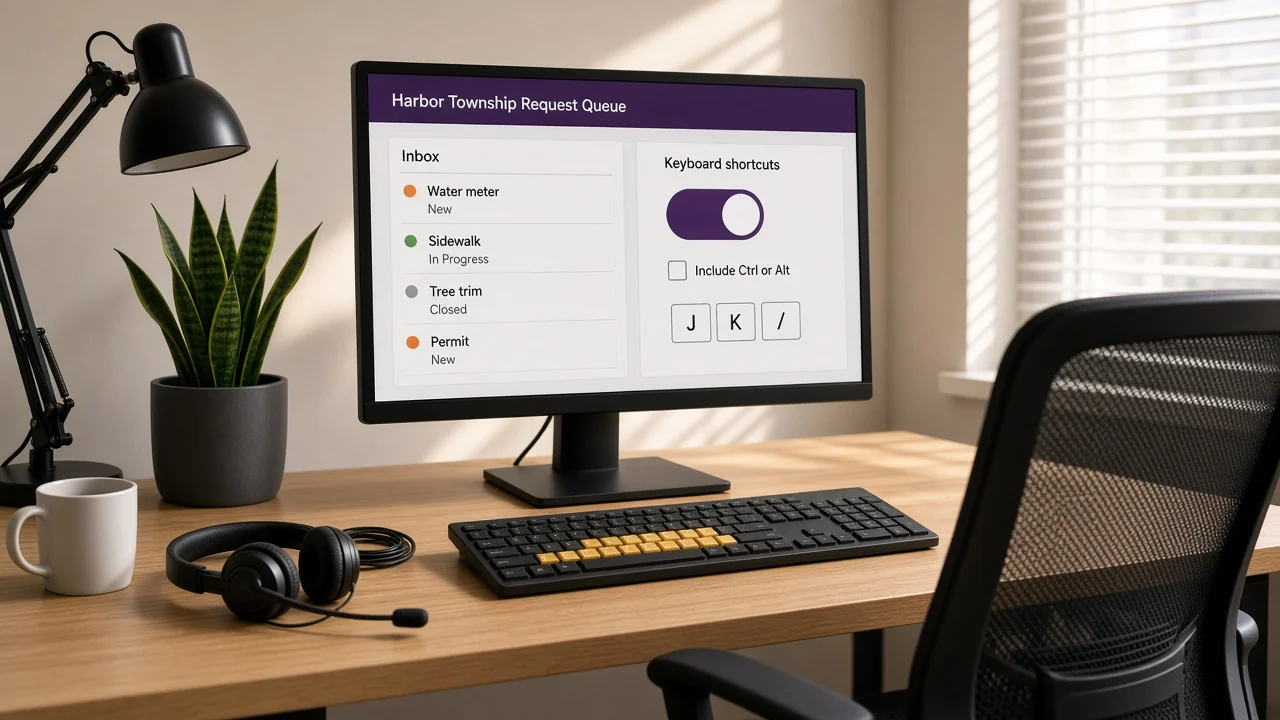
It fails when the shortcut uses only printable characters, works while focus is not on a specific component, and the page offers no way to turn it off or remap it. Failure F99 is that pattern. A records inbox that archives on E from anywhere on the page is the usual example.
The documented case is failure F99. A sequence such as G then A still counts, because it relies on printable characters. Shift plus a character still counts. The number of physical keys is not the test. Understanding 2.1.4 notes that speech input can turn a spoken word into those same key events, which is why a page-wide shortcut without an off switch is the failure.
Do access keys, select lists, or Ctrl shortcuts fail 2.1.4?
No, not by themselves. Understanding 2.1.4 excludes shortcuts that already include a non-printable key such as Ctrl, Alt, or Command. Access keys are usually activated with a modifier, so they are out of scope. A native select that jumps to options starting with a letter is active only on focus, which is the third path.
| Pattern | 2.1.4 |
|---|---|
| Page-wide E to archive, with no setting | Fails under F99 |
| Same shortcuts with a control to turn them off | Meets the turn-off path in G217 |
| Same action remapped to Ctrl+E | Meets the remap path |
| Letter jump inside a focused select or listbox | Meets the active-only-on-focus path |
| Ctrl+S, or an access key that needs Alt | Outside 2.1.4 |
Does the Title II web rule include character key shortcuts?
Yes. The Department of Justice rule for state and local government websites names WCAG 2.1 Level AA. That level includes Level A criterion 2.1.4. Governments with a population of 50,000 or more have until April 26, 2027. Smaller governments and special districts have until April 26, 2028.
Who must comply is on the Title II web rule page. This page explains the published success criterion and the published rule; it is not legal advice. A scanner can notice a keydown listener. It often cannot tell whether a setting turns the shortcut off or remaps it. A person checks that, which is why a passing score is not conformance, as covered on the scanner page. The fix belongs in the application chrome, which is remediation. To have a specific page reviewed, use the contact form.
Questions and answers
Does WCAG allow single-key shortcuts?
Yes at Level A if they can be turned off, remapped to include a modifier such as Ctrl or Alt, or are active only while the component has focus. Success criterion 2.1.4 Character Key Shortcuts applies when the shortcut uses only letter, punctuation, number, or symbol characters. Specification: https://www.w3.org/TR/WCAG22/#character-key-shortcuts
Does a page-wide J or slash shortcut fail 2.1.4?
It fails when those keys fire from anywhere on the page and there is no way to turn the shortcut off or remap it to include a non-printable key. Failure F99 is that pattern. Failure: https://www.w3.org/WAI/WCAG22/Techniques/failures/F99
Do access keys or Ctrl shortcuts fail 2.1.4?
No. Understanding 2.1.4 treats shortcuts that already include a non-printable key such as Ctrl, Alt, or Command as outside the criterion. Access keys are usually activated with a modifier, so they are out of scope. Explanation: https://www.w3.org/WAI/WCAG22/Understanding/character-key-shortcuts.html
Does the Title II web rule include character key shortcuts?
Yes. The DOJ rule names WCAG 2.1 Level AA, which includes Level A criterion 2.1.4. Governments of 50,000 or more have until April 26, 2027. Smaller governments and special districts have until April 26, 2028. Deadlines: https://www.adasupport.org/title-ii-web-rule
Related guides
Ask for a review of a specific page
Send the URL and the template you care about. The reply names the highest-risk WCAG failures and the order to fix them.
Request an audit