
Published November 13, 2026
WCAG 2.2.1 Timing Adjustable, Level A
Does WCAG require a way to extend session timeouts?
Yes at Level A when the content sets a time limit. Success criterion 2.2.1 Timing Adjustable requires a way to turn it off, adjust it to at least ten times the default, or be warned and given at least 20 seconds to extend it at least ten times. Real-time, essential, and 20-hour limits are listed exceptions. The text is in the W3C WCAG 2.2 Recommendation.
What does timing adjustable require?
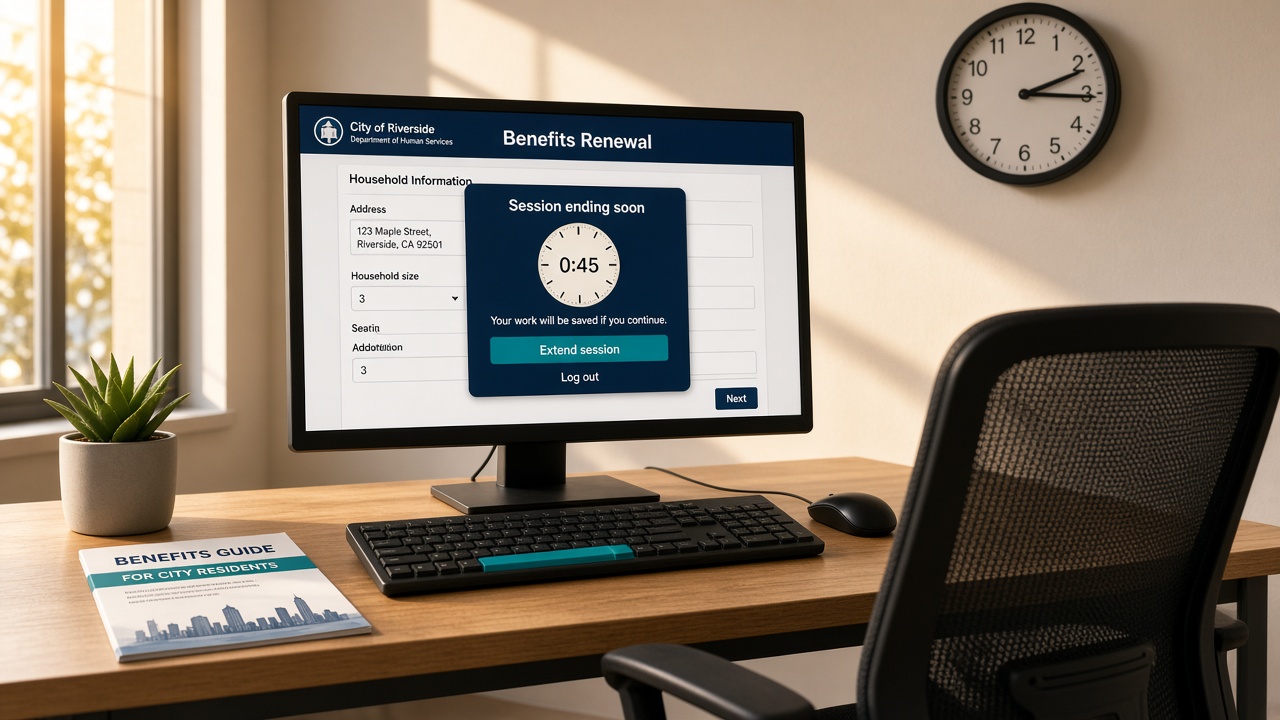
Any process that happens without user initiation after a set time or on a periodic basis is a time limit. The W3C explanation includes session expiry, a page refresh, and a window of opportunity to react. At least one of the three user-control options must be true unless an exception applies. Turn off is preferred. Adjust must cover a range at least ten times the default. Extend requires a warning, at least 20 seconds, a simple action such as pressing the space bar, and at least ten extensions. The explanation is in Understanding Success Criterion 2.2.1. HTML technique G133 offers a longer or unlimited session on the first page of a multipart form. Technique G198 turns the limit off. Script techniques SCR16 and SCR1 warn, then let the user extend. The extend control itself has to be operable from the keyboard, which is covered on the keyboard access page. Forms that lose typed answers when the session dies are the usual place this shows up, covered on the accessible forms page.
When does a silent timeout or meta refresh fail 2.2.1?
A session that ends with no warning, no way to extend, and no earlier choice to turn the limit off fails. Understanding 2.2.1 says a time limit added for security is still set by the content when it is part of the interaction. Server timeouts the author controls are in scope. A timed meta redirect is failure F40. Reloading the page with meta refresh is failure F41. A server-side redirect after a timeout is failure F58. Instant 3xx redirects are not a time limit. A toast that disappears can still pass if the same information is available another way, such as in an inbox. Time-limited two-factor tokens can be essential. Sign-in fields still have their own checks on the accessible authentication page.
How is 2.2.1 different from pause, stop, hide?
2.2.1 is the clock on the task. 2.2.2 is motion or auto-updating content that sits beside other content. Understanding 2.2.1 notes that repeating scrolling text, captions, and carousels with controls specified in 2.2.2 are generally checked there, not as session limits. A news ticker needs a pause control. A benefits form that dumps the answers after ten minutes of inactivity needs a way to turn off, adjust, or extend that limit. The motion rule is on the pause, stop, hide page.
Does the Title II web rule include timing adjustable?
Yes. The Department of Justice rule for state and local government websites names WCAG 2.1 Level AA. That level includes Level A criterion 2.2.1. Governments with a population of 50,000 or more have until April 26, 2027. Smaller governments and special districts have until April 26, 2028. Who must comply is on the Title II web rule page. A scanner can flag a meta refresh. It often cannot tell whether a server session ended with no warning, or whether the extend dialog is keyboard operable. A person checks that, which is why a passing score is not conformance, as covered on the scanner page. The fix belongs in the session and form templates, which is remediation. To have a specific page reviewed, use the contact form.
Questions and answers
Does WCAG require a way to extend session timeouts?
Yes at Level A when the content sets a time limit. Success criterion 2.2.1 Timing Adjustable requires that the user can turn the limit off, adjust it to at least ten times the default, or be warned and given at least 20 seconds to extend it with a simple action, at least ten times. Real-time, essential, and 20-hour exceptions are listed in the criterion. Specification: https://www.w3.org/TR/WCAG22/#timing-adjustable
Does a silent timeout after inactivity fail 2.2.1?
It fails when the page ends the session or discards work with no way to turn off, adjust, or extend the limit. Understanding 2.2.1 treats a client-side inactivity timer as a time limit set by the content, including timers added for security. A warning that offers a simple action such as pressing the space bar, with at least 20 seconds to respond, is the extend path. Explanation: https://www.w3.org/WAI/WCAG22/Understanding/timing-adjustable.html
How is timing adjustable different from pause, stop, hide?
2.2.1 is about time limits that end a task or change the content after a set period. 2.2.2 Pause, Stop, Hide is about moving, blinking, scrolling, or auto-updating content that sits beside other content. A carousel with a pause control is checked under 2.2.2. A login or form session that expires is checked under 2.2.1. Pause, stop, hide: https://www.adasupport.org/pause-stop-hide
Does the Title II web rule include timing adjustable?
Yes. The DOJ rule names WCAG 2.1 Level AA, which includes Level A criterion 2.2.1. Governments of 50,000 or more have until April 26, 2027. Smaller governments and special districts have until April 26, 2028. Deadlines: https://www.adasupport.org/title-ii-web-rule
Related guides
Ask for a review of a specific page
Send the URL and the template you care about. The reply names the highest-risk WCAG failures and the order to fix them.
Request an audit